How Deep Can Obsidian Bases Nest Filters? Six Levels, Tested
The useful version of “how deep can it nest” is not a number. It’s: at what depth does it stop being correct, and how would you notice?
So I built seven views against the same 800 notes, each one level deeper than the last, and computed the correct answer for every one separately in Python before looking at what Bases returned.
The results
| Depth | Structure | Expected | Bases returned |
|---|---|---|---|
| 0 | control: no view filter | 800 | 800 |
| 1 | one condition | 201 | 201 |
| 2 | and of two | 73 | 73 |
| 3 | and > or | 145 | 145 |
| 4 | and > or > and | 105 | 105 |
| 5 | and > not > or > and | 645 | 645 |
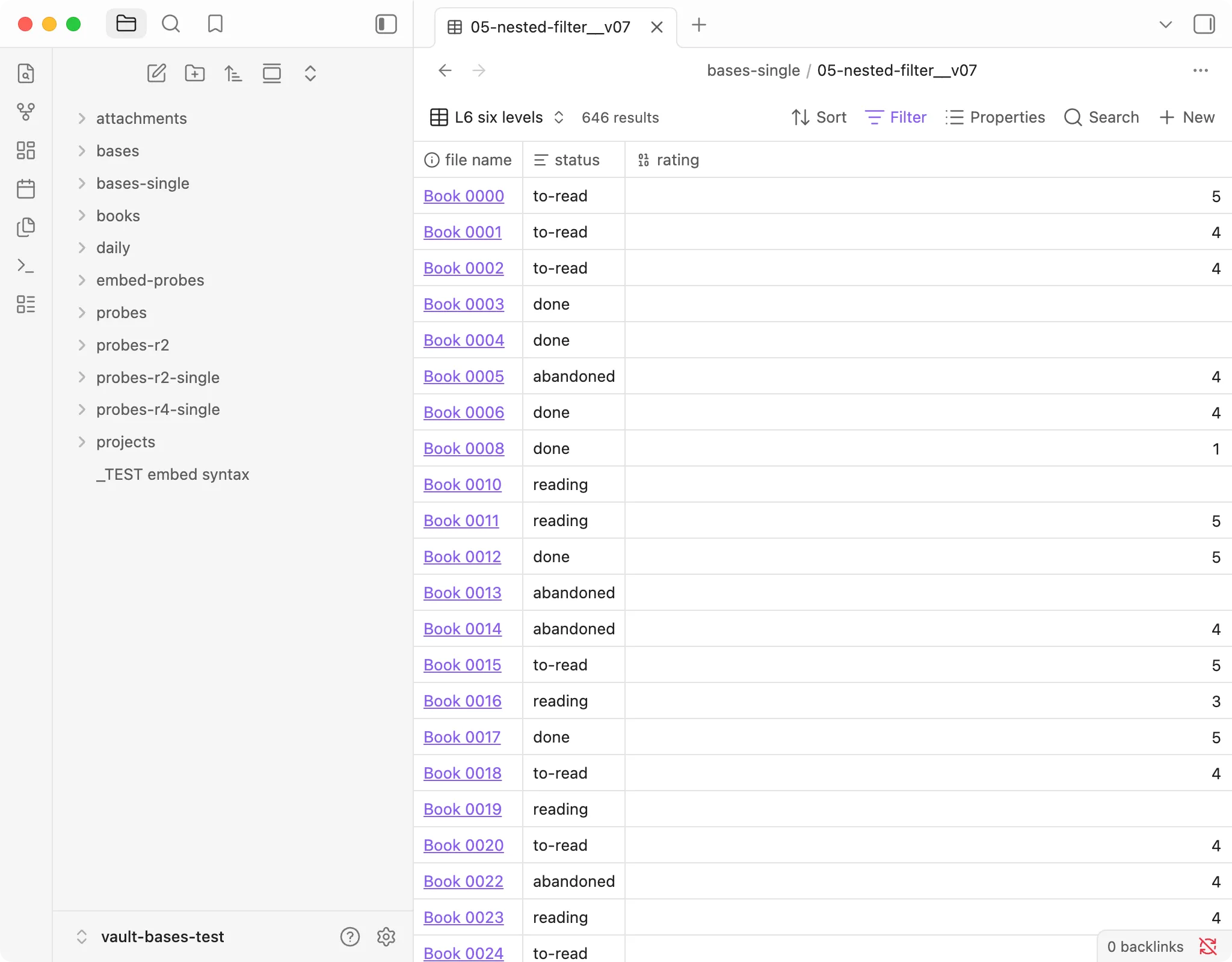
| 6 | and > not > and > or | 646 | 646 |
Seven views, every count exact, no errors, no degradation. I did not find a depth at which it breaks.
What the deep ones look like
Level 5, the one I most expected to fail, because not wraps a compound block rather
than a single condition:
filters:
  and:
    - not:
        - or:
            - and:
                - 'note.status == "abandoned"'
                - "note.rating < 3"
            - and:
                - 'note.status == "to-read"'
                - "note.price > 30"
    - "note.pages > 100"
The semantics are what you’d hope: NOT(OR(...)) negates the whole block, not just
its first child. That’s the specific behaviour worth knowing, because a not that
only negated its first child would produce plausible-looking wrong answers rather
than an error.
Level 6 inverts the arrangement — not containing an and containing an or — and
is equally correct.
The rule I used to check this, and why it was wrong
In the comments of my test file I had written down a validation heuristic:
Deeper nesting should only ever narrow the result set. If a level suddenly returns more, that level isn’t working.
It reads like sound reasoning. Each level adds constraints; constraints remove rows.
Then level 4 returned 105 and level 5 returned 645.
Six times as many. By my own rule, level 5 was broken.
It wasn’t. Levels 5 and 6 contain not. Negation increases result counts. That
has nothing to do with nesting depth. Monotonic narrowing only holds when you are
adding and conditions to an existing set — the moment a not appears, the
relationship inverts and the rule says nothing at all.
Had I trusted my heuristic instead of the independently computed answers, I would have reported a perfectly correct result as a bug. And I would have been confident, because the rule sounds right.
This is worth dwelling on if you are debugging your own filters: a plausible verification rule is its own failure mode. The only check that actually held here was computing each answer separately from the data, by a different route, and comparing.
Practical notes on writing them
Indentation is the whole language. not: takes a list, and what that list
contains determines whether you’re negating one condition or a whole tree. There is
no visual bracket to check against — you are reading YAML indentation, at six levels,
often at the end of a long session.
Build up, don’t write down. Every view above was created by taking the previous one and wrapping it. Each step was verified before the next was added. When something does go wrong, you know which level introduced it. Writing six levels in one go and then debugging the result is a much worse afternoon.
Keep a control view. Mine was “the file scope, no view filter” — expected 800, got 800. Without it, a nested filter returning zero is indistinguishable from a folder path typo, and you will debug the wrong thing. This cost me real time elsewhere in this test series: a set of views returning zero rows that I nearly blamed on Bases, when the filter was asking for a tag that did not exist anywhere in the vault.
The verdict
Nesting is not where your problems will come from. Six levels of arbitrarily
interleaved and / or / not, all exact.
If a nested filter is giving you the wrong rows, the likely causes, in order: a
property whose type is inconsistent across notes, a value that doesn’t match what
you think it is, a limit making the count look wrong, or your own expectation.
The nesting is fine.
Tested on the version in the box at the top of this page. Verify against your own install before relying on the specifics.