Obsidian Bases: Filter Files Modified in the Last 7 Days
The filter itself is not the hard part:
filters:
  'file.mtime >= now() - duration("7d")'
That works. It is precise to the minute, it does not drift with timezones, and I verified both of those claims rather than assuming them. The hard part is that this filter almost certainly does not return what you think it returns.
It includes files that are not notes
I ran the filter above on a vault of 1,781 files and got 1,641 results. The
complement — same filter with < instead of >= — returned 140. They sum to
1,781, which is every file in the vault.
The vault contains 1,616 markdown notes. The other 165 files are PDFs, PNGs,
WebPs, CSVs, plain text, and the .base files themselves.
Restricted to notes, the correct answer was 1,476.
So the filter over-reported by 165 files, and the only symptom was a number that was somewhat larger than expected. No error. No warning. If I had not computed 1,476 in advance, I would have looked at 1,641, thought “sounds about right for a vault this size,” and published a page saying it worked.
This is the shape of bug that survives testing: wrong in the direction of more, against a number nobody has independently checked.
The fix
filters:
  and:
    - 'file.ext == "md"'
    - 'file.mtime >= now() - duration("7d")'
If you came from Dataview, this is the specific habit that will catch you: Dataview’s
default source is markdown files. Bases’ file.* properties apply to everything in
the vault. The syntax looks like a direct translation. It isn’t.
The result count is your limit, not your matches
Second trap, and it compounds the first.
The number Bases shows next to a view — “25 results”, “1,641 results” — is the count
of rows displayed, after limit has been applied. It is not the number of files
that matched.
In an earlier version of this test I had limit: 30 on the recently-modified view.
It displayed “30 results”. The true answer was over 1,600. Nothing indicated
truncation.
For any view where the count is the point, set limit well above any plausible
total. Mine are at 2000. This sounds wasteful and isn’t — a count you cannot trust
is worse than no count.
Verifying that “7 days” means what it says
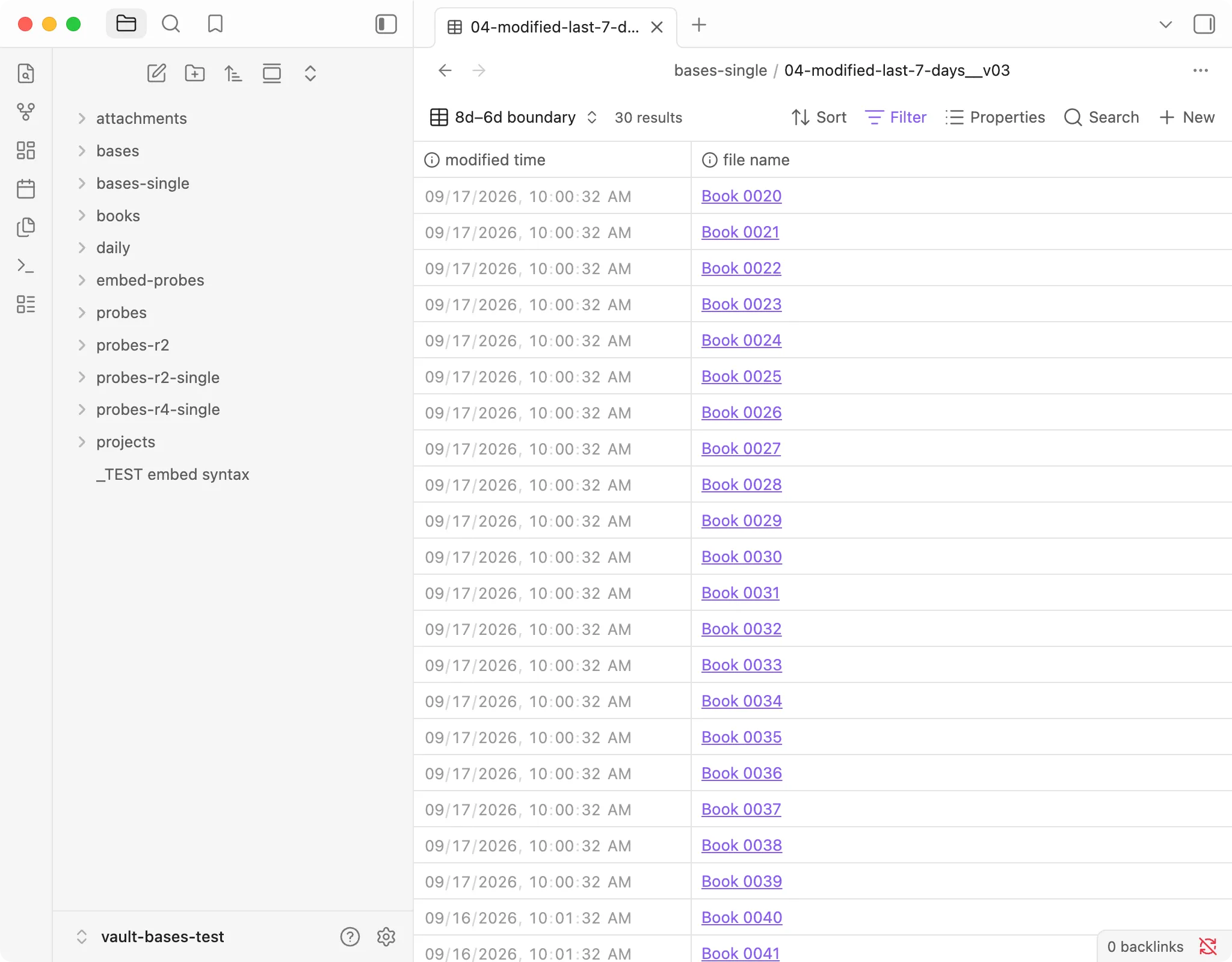
I did not want to take the boundary on faith, so I planted ten files two minutes apart across the seven-day line: five stamped 09:59 and five stamped 10:01 on the same day. Then:
filters:
  and:
    - 'file.mtime >= now() - duration("8d")'
    - 'file.mtime < now() - duration("6d")'
Expected 30 files in that window. Got 30, and the filenames matched one for one.
No rounding to whole days. No timezone offset. duration("7d") is exactly
168 hours back from the moment the view runs.
file.mtime and a date property are different things
If your notes carry a date in frontmatter, that is a separate filter with separate semantics:
filters:
  and:
    - file.inFolder("daily")
    - 'note.date >= today() - duration("7d")'
This returned 8, which was correct.
The distinction is worth holding on to. file.mtime is when the file was last
written — it changes when you fix a typo, and it changes for every file if you run a
script across your vault. note.date is what you wrote in the note. For a daily-note
workflow you almost always want the second one; for “what have I been touching
lately” you want the first.
A mistake of mine that generalises
My reference answers for this test were wrong on the first run. I had computed “1,466 modified in the last 7 days” earlier in the session and written it down. When I actually ran the view, I got 1,641.
The difference was me. Between writing the number and using it, I had split seven base files into thirty-eight — thirty-eight new files, all freshly modified, all correctly matched by a filter for recent changes.
The reference was right when I wrote it and wrong when I used it. If you are checking a tool against computed expectations, compute them at the moment you run, not before. An expected value has a timestamp too.
What to actually write
filters:
  and:
    - 'file.ext == "md"'
    - 'file.mtime >= now() - duration("7d")'
views:
  - type: table
    name: "Recently modified"
    order: [file.mtime, file.name]
    limit: 2000
Three deliberate choices: the extension filter so you get notes and not attachments,
file.mtime in order so the most relevant rows are visible without scrolling, and
a limit high enough that the displayed count is real.
Tested on the version in the box at the top of this page. Verify against your own install before relying on the specifics.